

How To Use A CAT Scanner: Simple Guide To The Radiodetection CAT4 & Genny4
Posted on: 07/07/2026
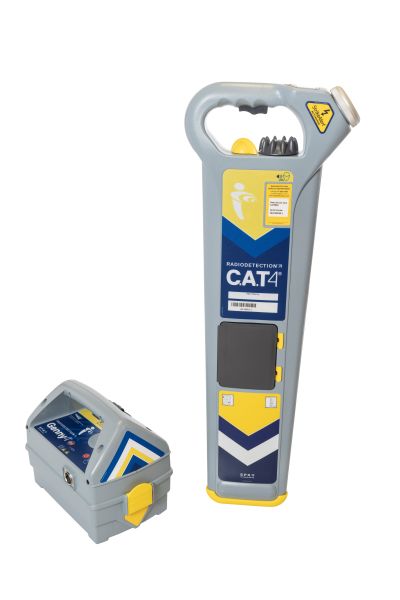 Using a Radiodetection CAT4 and Genny4 correctly can help identify the possible route of buried cables and conductive services before excavation work begins.
This guide gives a simple overview of the basic operating principles, including CAT4 locate modes, using the Genny4, scanning an excavation area, depth estimation, sondes, FlexiTrace and common mistakes to avoid.
Important: This article is intended as a simplified guide only. It is not a replacement for approved training, utility drawings, risk assessments, safe digging procedures or the official Radiodetection user guide. Always read the manufacturer instructions HERE before use and always dig with caution.
What Is A CAT Scanner?
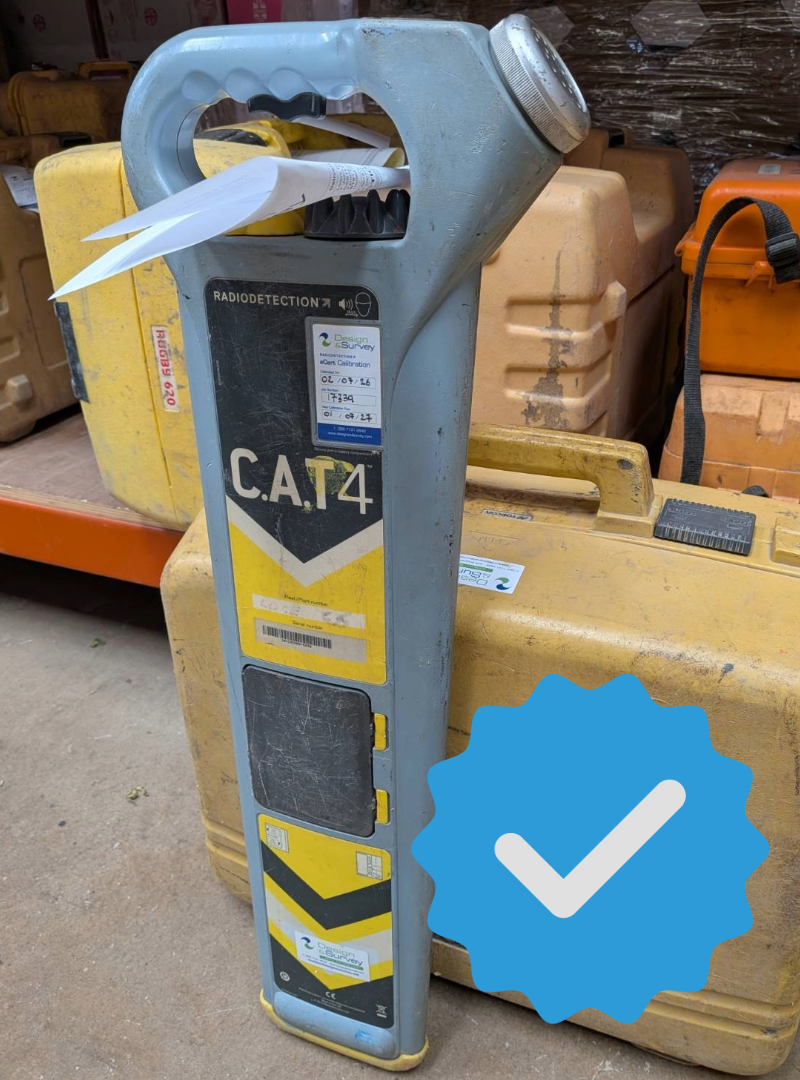
A CAT scanner is used to detect signals from buried cables and conductive pipes. The Radiodetection CAT4 is the receiver. It picks up detectable signals from underground services and gives the operator a visual and audible response.
As the CAT4 gets closer to a detectable cable or pipe, the signal bar graph and sound level increase. As it moves away from the service, the signal reduces. This allows the operator to locate, pinpoint and mark the likely route of a buried service before excavation begins.
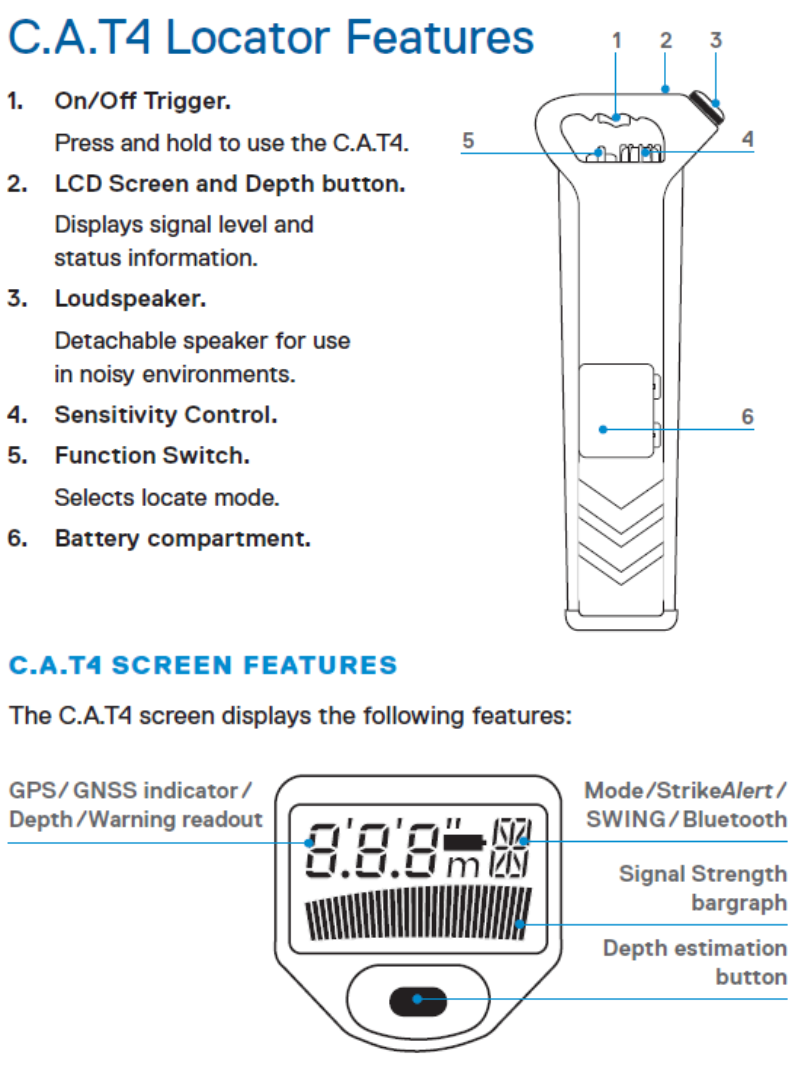
The CAT4 includes key features such as an on/off trigger, LCD screen, speaker, sensitivity control, function switch and battery compartment. Some models also include depth estimation, GPS/GNSS, Bluetooth, operation logging and other additional features.
What Is A Genny?
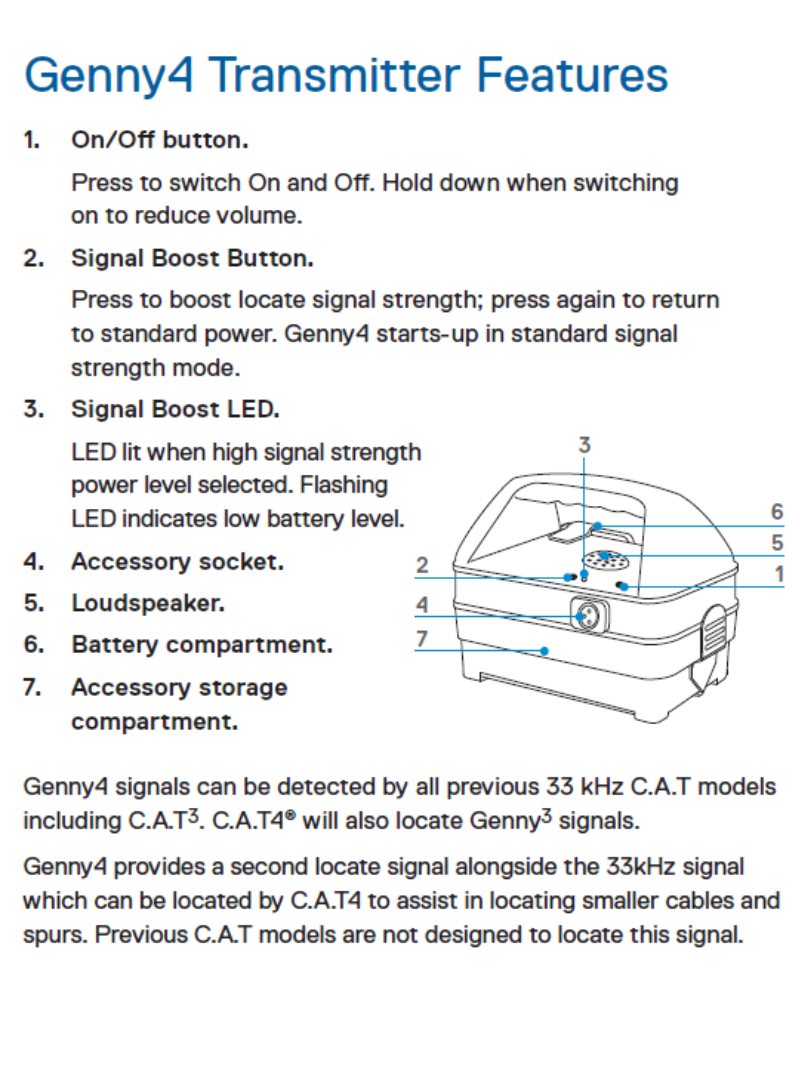
The Genny4 is the transmitter used with the CAT4. Its job is to apply a locate signal to a cable or pipe so that the CAT4 can detect and trace it more easily.
Using the Genny4 is strongly recommended because not all buried services will naturally give off a detectable Power or Radio signal. Some cables may be switched off, some may not radiate a clear signal, and some services may be difficult to locate passively.
The Genny4 can be used in several ways, including induction, direct connection and signal clamping. These methods are explained later in this guide.
Before You Start: Important Safety Checks
 Before using a CAT4 and Genny4, carry out basic safety and equipment checks. Cable avoidance tools are safety-critical equipment, so they should be checked before use and maintained correctly.
- Read the official Radiodetection user guide before using the equipment.
- Check the CAT4 and Genny4 for visible damage.
- Check the batteries before starting work.
- Make sure the CAT4 gives the correct start-up sound and screen response.
- Check the Genny4 produces an audible output when switched on.
- Use the CAT4 in all modes over a cable or service that gives a known response.
- Check the equipment is within its service and calibration period.
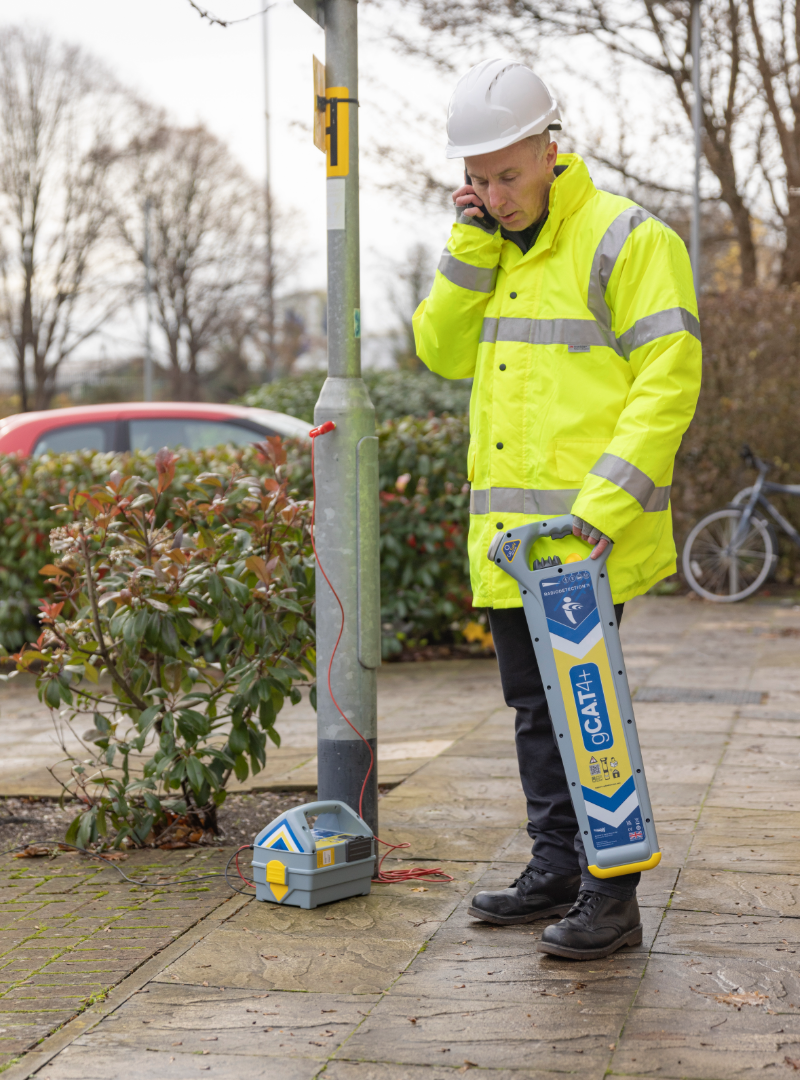
- Keep mobile phones away from the locator during operation.
- Use utility drawings and site information where available.
- Always dig with caution, even after using a CAT and Genny.
Safety reminder: A CAT and Genny helps reduce risk, but it cannot guarantee that every buried service has been found. Always use safe digging practice.
The Four CAT4 Locate Modes Explained
The CAT4 has four main locate modes. Each mode looks for a different type of signal. Understanding these modes helps users choose the right setting for the task.
| Mode | What It Does | When To Use It |
|---|---|---|
 Avoidance Mode Avoidance Mode |
Searches for Power, Radio and Genny signals at the same time. | Best for an initial sweep of the excavation area. |
 Genny Mode Genny Mode |
Detects the signal applied by the Genny4 transmitter. | Best for active tracing of a cable or pipe. |
 Power Mode Power Mode |
Detects signals from power transmission networks. | Useful for detecting some live power-related signals. |
 Radio Mode Radio Mode |
Detects radio signals that may travel along buried conductive services. | Useful as part of a wider scan, but should not be relied on alone. |
Important: Some power cables do not radiate detectable power signals. Radio signals may also be absent. This is why the Genny4 should be used wherever possible before excavation.
How To Hold The CAT4 Correctly
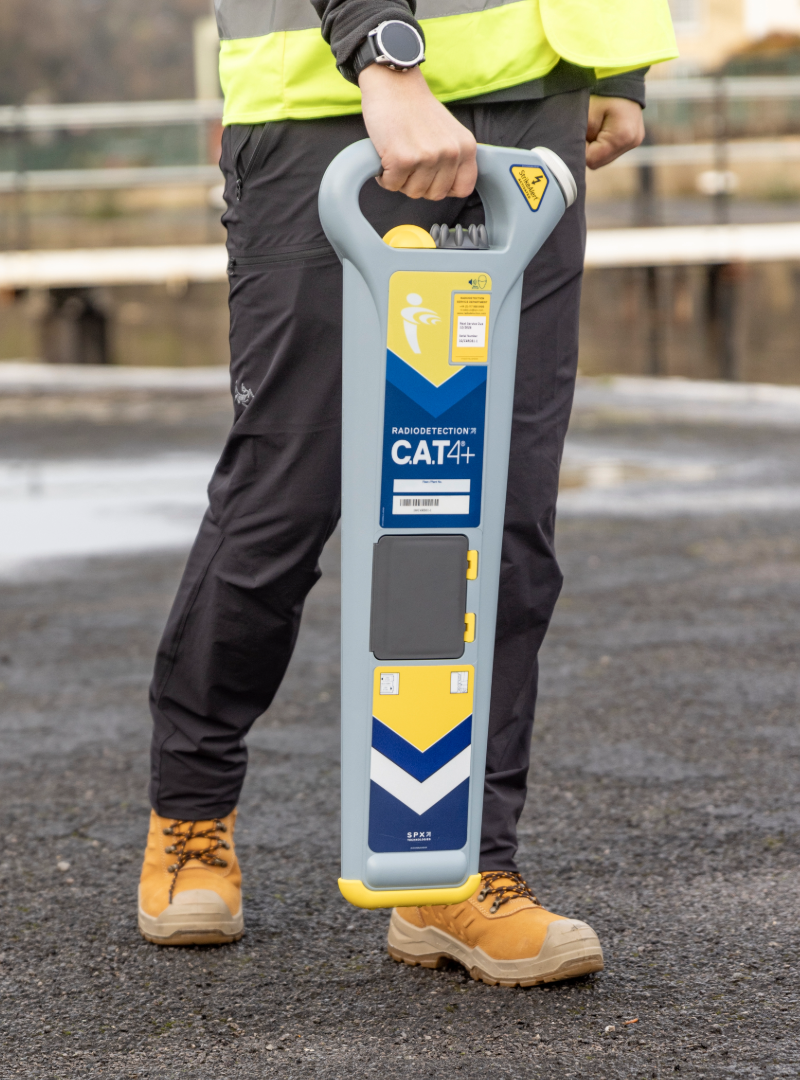
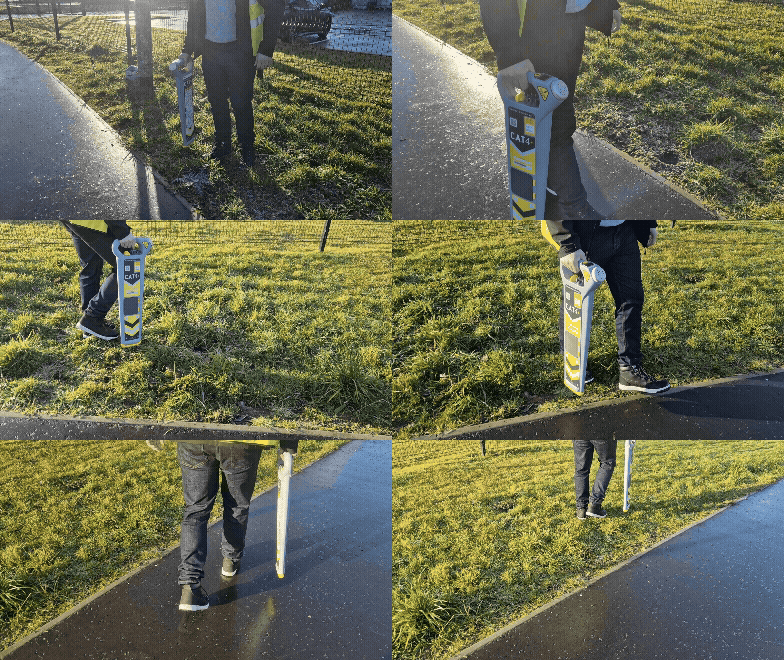
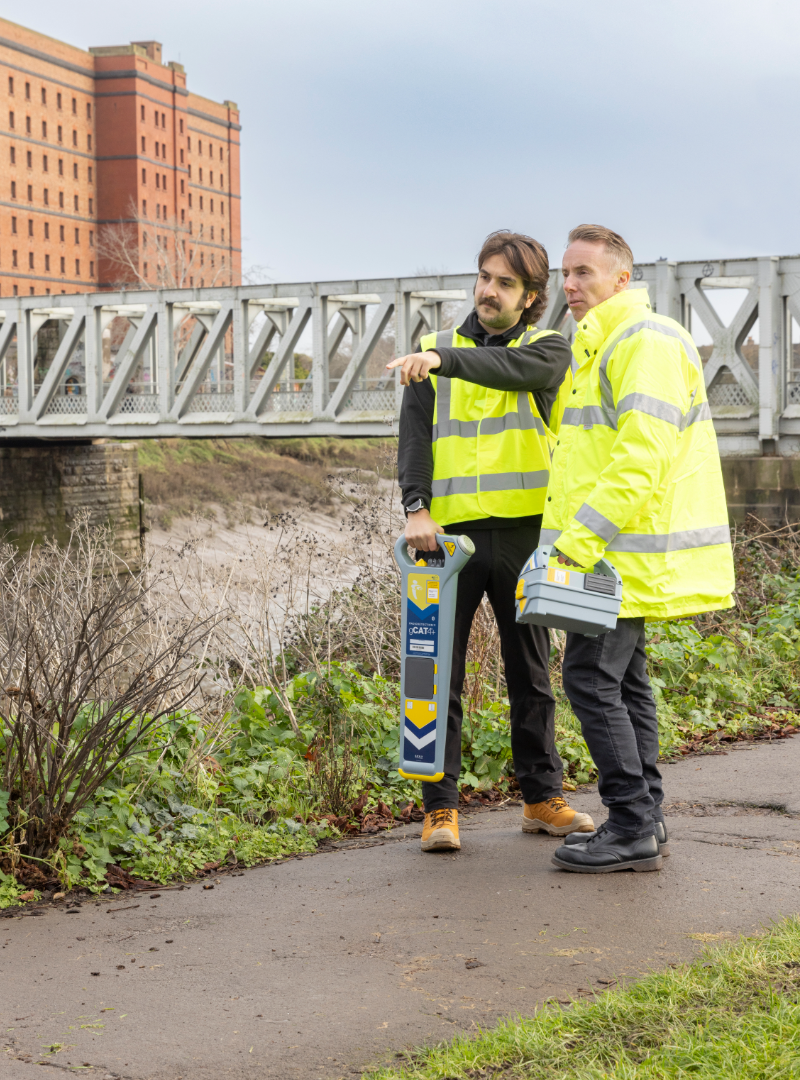
Hold the CAT4 by the handle with the blade vertical and the lower edge just above the ground. Keep the locator upright as you move across the area.
Do not swing the CAT4 from side to side like a pendulum. Do not tilt it more than a few degrees away from vertical. Swinging or tilting the locator can affect accuracy and may lead to a poor reading.
Move steadily and deliberately. The aim is to allow the CAT4 to detect changes in signal strength as it passes over a buried cable or pipe.
How To Pick Up A Reading
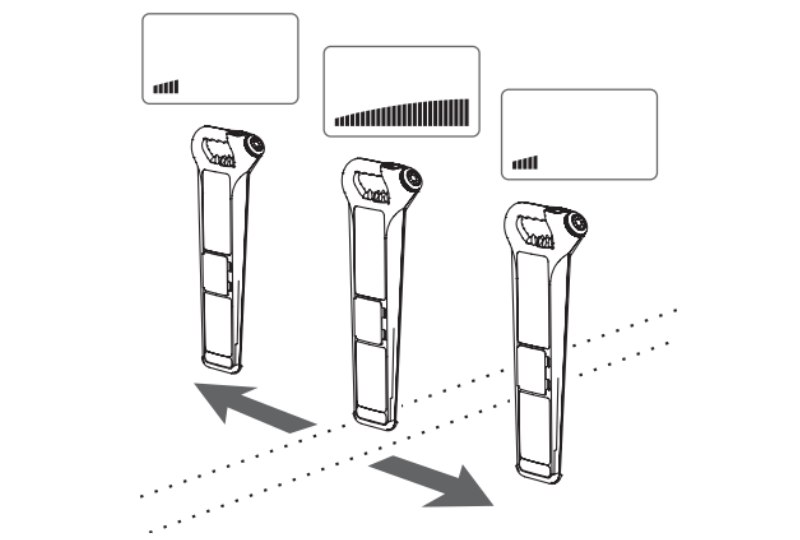
To begin locating, set the CAT4 sensitivity control to maximum. Walk slowly across the area while holding the CAT4 upright.
When the CAT4 approaches a detectable cable or pipe, the signal bar graph and audio tone will increase. As the CAT4 passes over and beyond the service, the reading will reduce again.
Once you find a strong signal, reduce the sensitivity and move back and forth across the signal. This helps narrow down the strongest point and pinpoint the likely position of the buried service.
The highest signal is usually found when the CAT4 is closest to the buried conductor. Mark this position on the ground and continue tracing the route.
How To Find The Direction Of A Cable Or Pipe
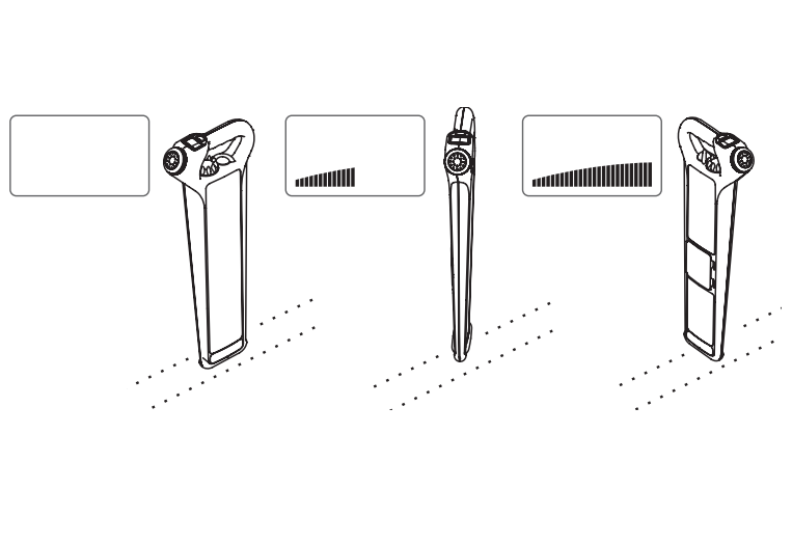
Once you have found the strongest signal, you need to work out the direction of the buried cable or pipe.
Hold the CAT4 over the strongest signal and slowly rotate it. When the CAT4 is at right angles across the cable or pipe, the bar graph and audio signal should be strongest. When the CAT4 is directly in line with the cable or pipe, the reading should reduce.
This helps you establish the direction of the service so you can trace and mark its route across the excavation area.
How To Scan An Excavation Area
A proper scan should cover the whole area to be excavated, not just the centre of the trench or dig line.
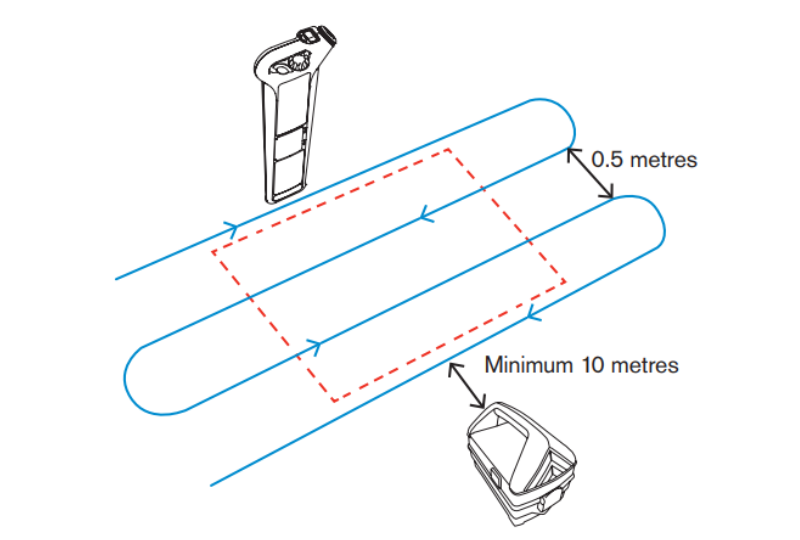
Start by walking the perimeter of the proposed excavation area. Then scan the full area using steady, parallel sweeps. Move across the width of the excavation area in lines approximately 0.5 metres apart.
If you detect a cable or pipe, stop and establish its direction. Trace it across the area and mark it clearly. Once marked, continue scanning the rest of the excavation area to check for other possible services.
An initial scan in Avoidance Mode is recommended, followed by more detailed scans using the dedicated modes, including Genny Mode, Power Mode and Radio Mode.
Using Avoidance Mode
Avoidance Mode is often used for the first sweep of an area. It searches for Genny, Power and Radio signals at the same time, helping the user identify areas that need closer investigation.
Set the sensitivity to maximum before starting. If the bar graph is already too high, reduce the sensitivity until the reading is below halfway, then begin scanning.
Walk the site slowly and deliberately. If a signal is found, pinpoint it, establish the direction of the service and mark the route. Then continue scanning until the full excavation area has been checked.
Using Power Mode
Power Mode detects signals that originate from power transmission networks. These signals may be found on power cables, but they can also appear on other conductive services.
Power Mode is useful, but it should not be used on its own. Some power cables do not give off a detectable power signal. For example, a cable may be switched off or may not be carrying a suitable signal at the time of the scan.
For this reason, a clear scan in Power Mode does not prove that the area is free from buried cables. Always use the Genny4 wherever possible and always dig with caution.
Using Radio Mode
Radio Mode detects radio signals that may be travelling along buried conductive pipes and cables. These signals come from distant radio transmitters and can sometimes help identify metallic services.
Radio Mode can be useful as part of a wider scan, but radio signals are not always present. It should not be relied on as the only method of cable avoidance.
Use Radio Mode alongside Avoidance Mode, Power Mode and Genny Mode to build a more complete picture of the area.
Using Genny Mode
Genny Mode detects the locate signal produced by the Genny4 transmitter. This is one of the most reliable ways to trace a buried pipe or cable because the signal is being actively applied rather than passively detected.
Use the Genny4 to apply a signal to the target service, then set the CAT4 to Genny Mode. Scan the area and follow the strongest signal to trace the route of the buried conductor.
The Genny4 can apply a signal in different ways depending on the situation. The main methods are induction, direct connection and signal clamping.
Using The Genny4 By Induction
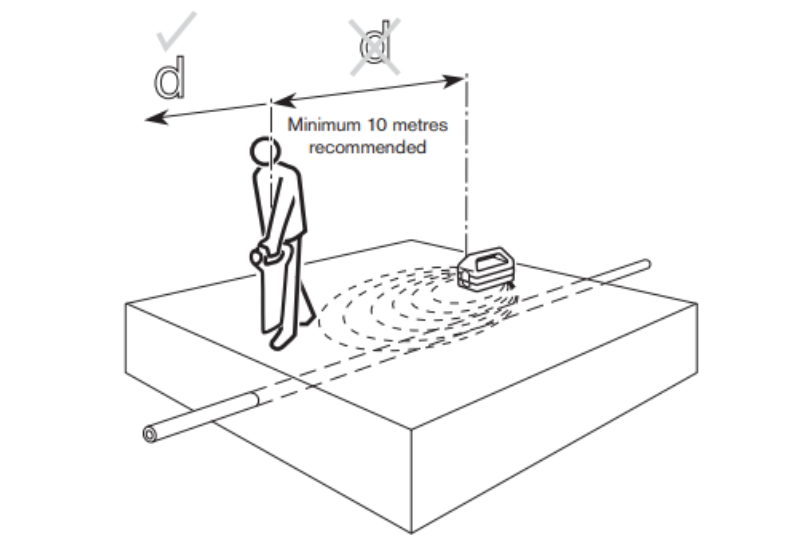
Induction is a quick way to apply a Genny signal when there is no direct access to the pipe or cable.
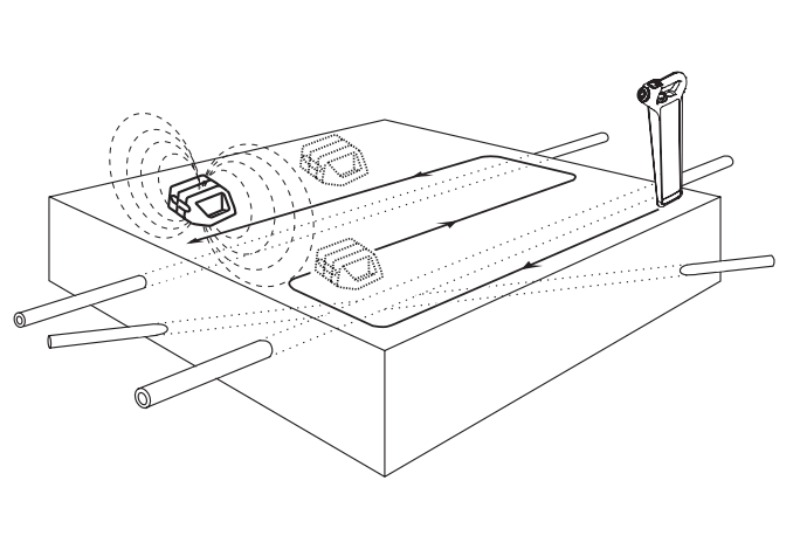
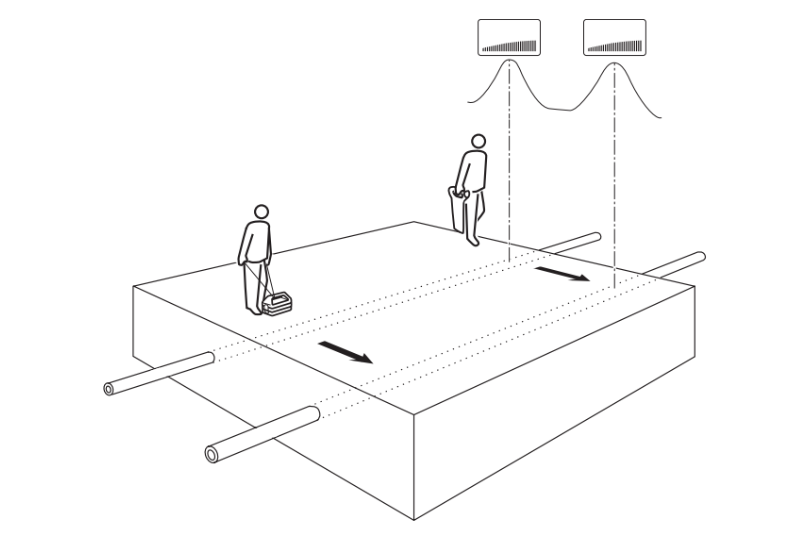
Place the Genny4 on the ground above the assumed route of the service and in line with its expected direction. Move at least 10 metres away before scanning with the CAT4. This distance helps reduce the risk of the CAT4 picking up airborne signal directly from the Genny rather than the buried service.
For best results, repeat the scan with the Genny4 turned 90 degrees from the first position. This can help detect services running in different directions.
Important: Working too close to the Genny4 may give misleading readings. Keep enough distance between the Genny4 and the CAT4 when using induction.
Using The Genny4 By Direct Connection
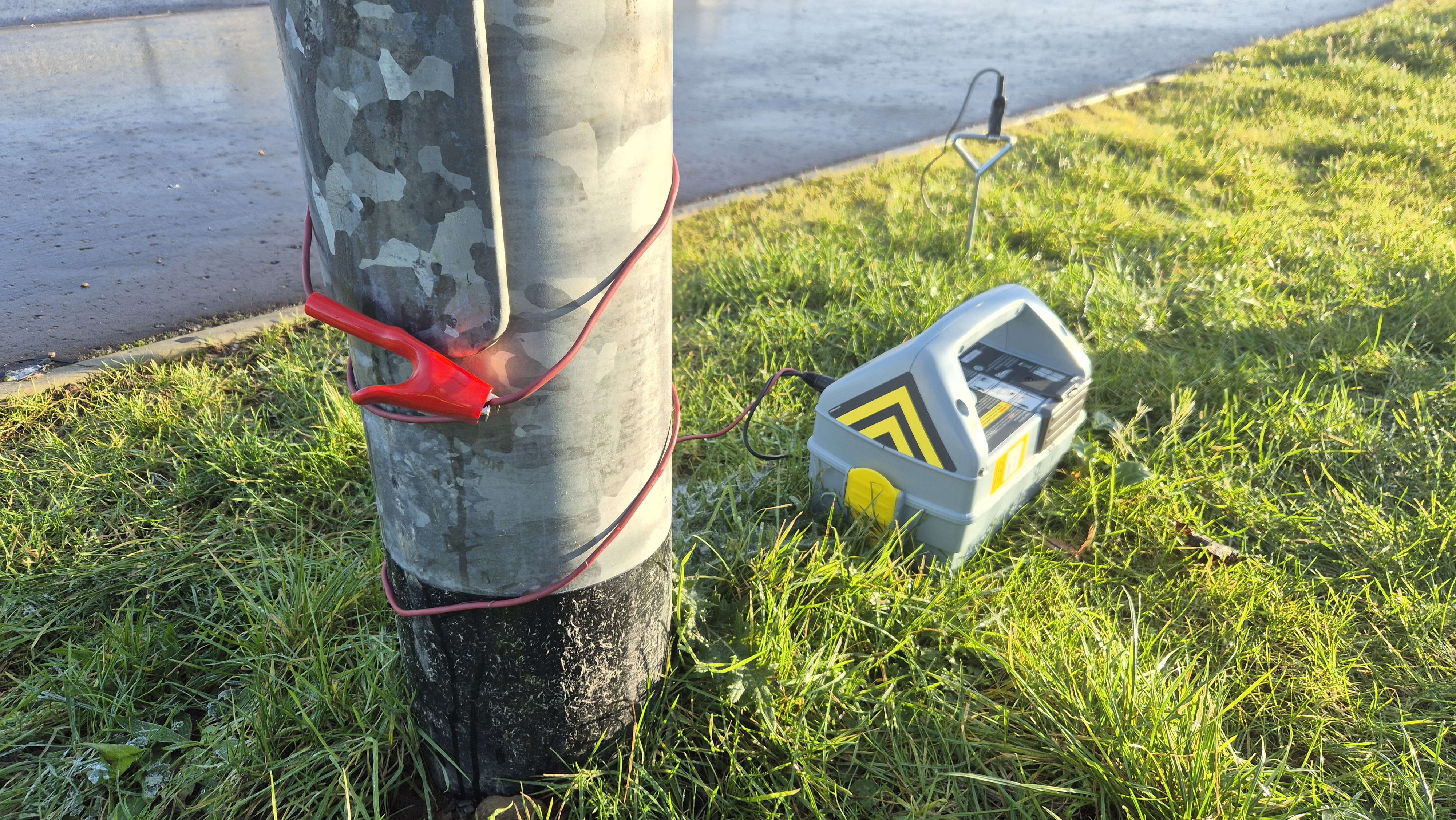
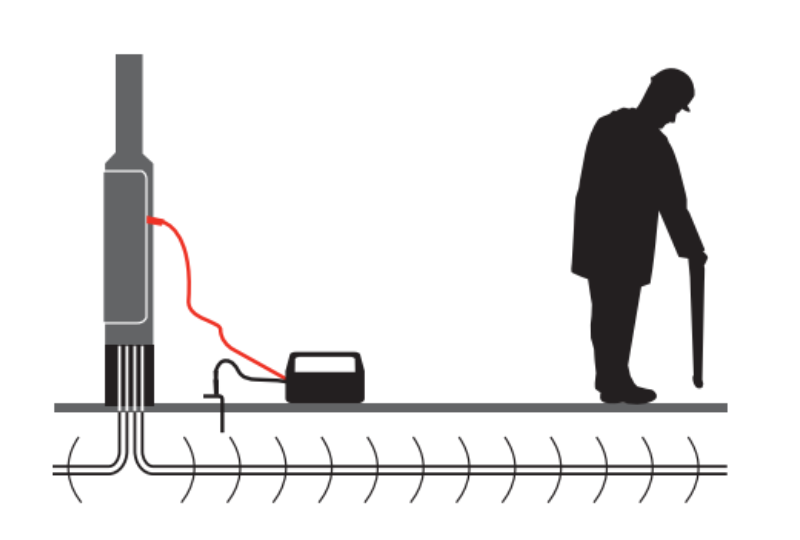
Direct connection is used to apply the Genny4 signal directly to a suitable metallic part of a pipe or cable network. This can include valves, meters, junction boxes, street lights, pipeline markers or other accessible metallic points.
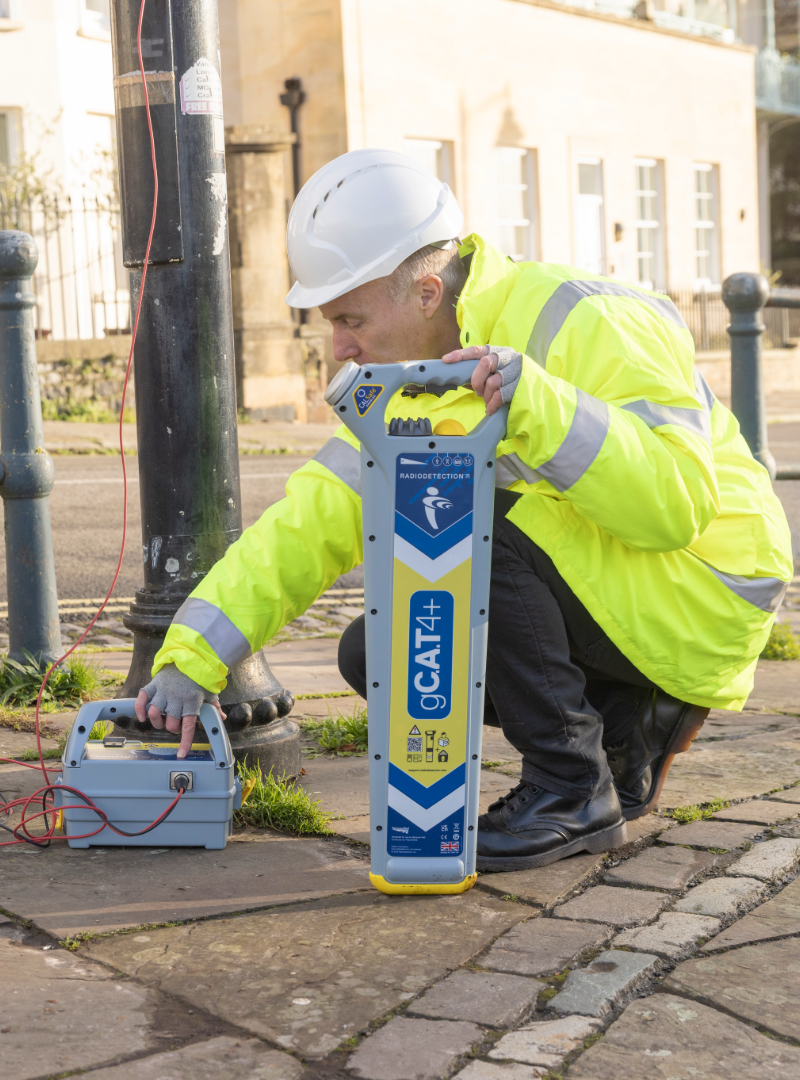
The direct connection lead is connected to the Genny4 accessory socket. The red lead is attached to the target pipe or cable, while the black lead is connected to an earth stake or suitable earth point.
Where possible, the earth stake should be placed several metres away from the target line and at right angles to it. Once connected, switch on the Genny4 and use the CAT4 in Genny Mode to trace the signal.
Important: Connection to a power cable sheath should only be carried out by qualified personnel. Do not connect to live cables using standard direct connection leads.
Using The Genny4 With A Signal Clamp
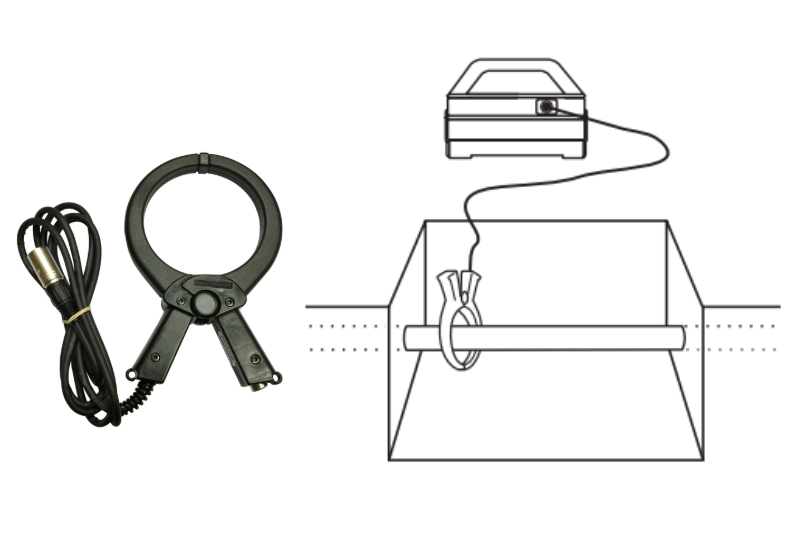
A signal clamp is an accessory that allows the Genny4 signal to be applied to a pipe or cable without interrupting the supply.
The clamp is plugged into the Genny4 accessory socket and placed around the target pipe or cable. The jaws of the clamp must be fully closed for the signal to transfer correctly.
A signal clamp is often useful where direct connection is not suitable, but there is still safe access around the service.
Locating Small Diameter Cables
The CAT4 and Genny4 are designed to improve the chances of detecting small diameter cables, such as telecoms, CATV and small service drops from a road or footpath into a property.
The Genny4 can transmit a small diameter locate signal that may couple onto smaller cables. This may be achieved through direct connection, signal clamping or signal jumping from nearby accessible cables.
Small diameter cables can be more difficult to locate, so it is important to scan carefully, use the Genny4 where possible and avoid relying on one mode only.
Estimating Depth With CAT4+ And gC.A.T4+
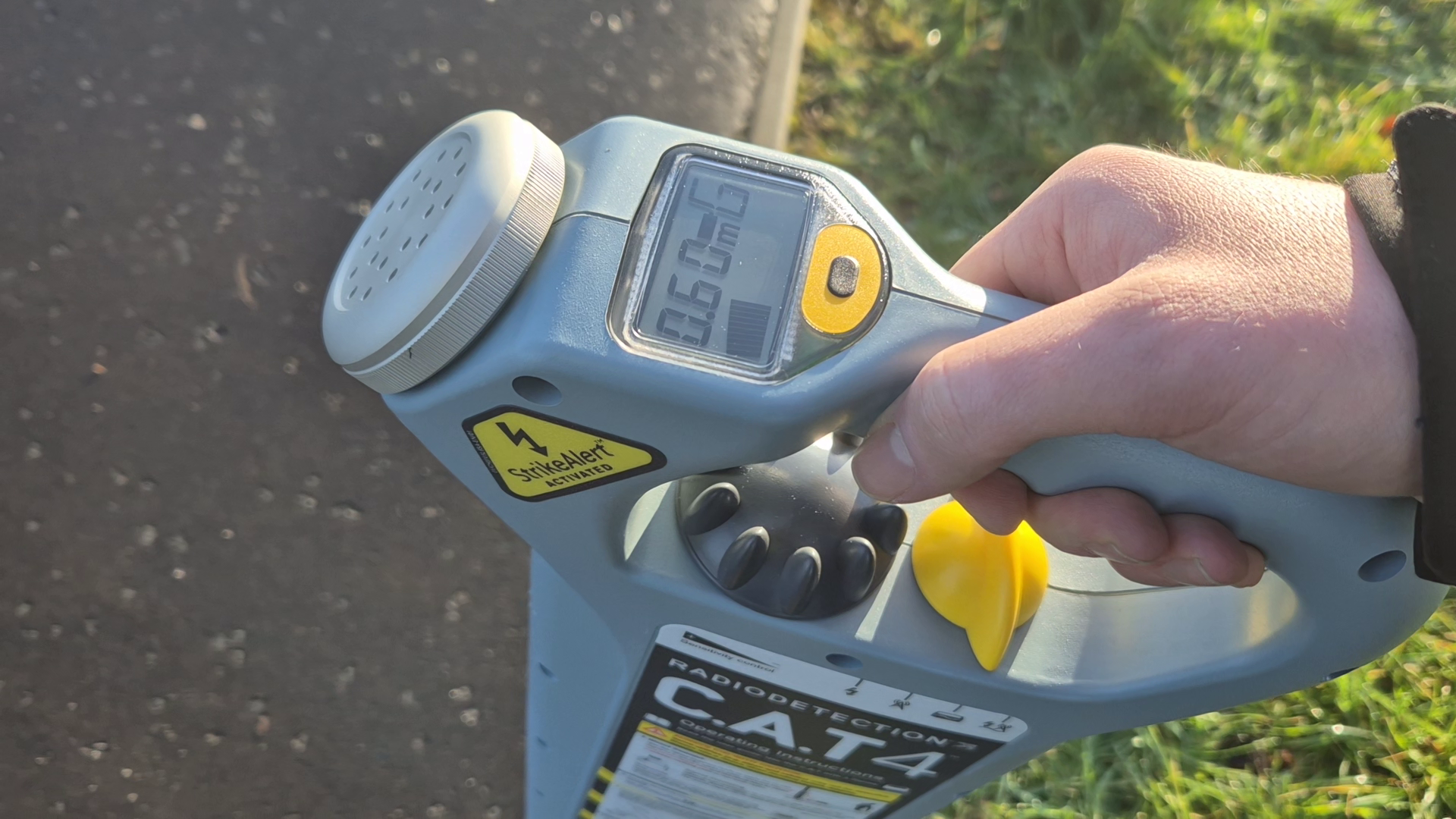
Some CAT4 models, such as CAT4+ and gC.A.T4+, can provide depth estimation when used in Genny Mode.
To estimate depth, first locate and pinpoint the cable or pipe. Position the CAT4+ above the service and at right angles to its direction. Press and release the depth button to display the estimated depth.
If using induction, take the depth reading at least 10 metres away from the Genny4. If using direct connection or a signal clamp, the distance may be reduced to around 5 metres.
Depth estimation is only possible when used in conjunction with a 33kHz signal, be it from a Genny, sonde, or tracing reel.
Important: Depth estimation should never be used to decide whether mechanical digging is safe. It is only an estimate and should not replace safe digging practice.
Using A Sonde For Non-Metallic Pipes And Ducts
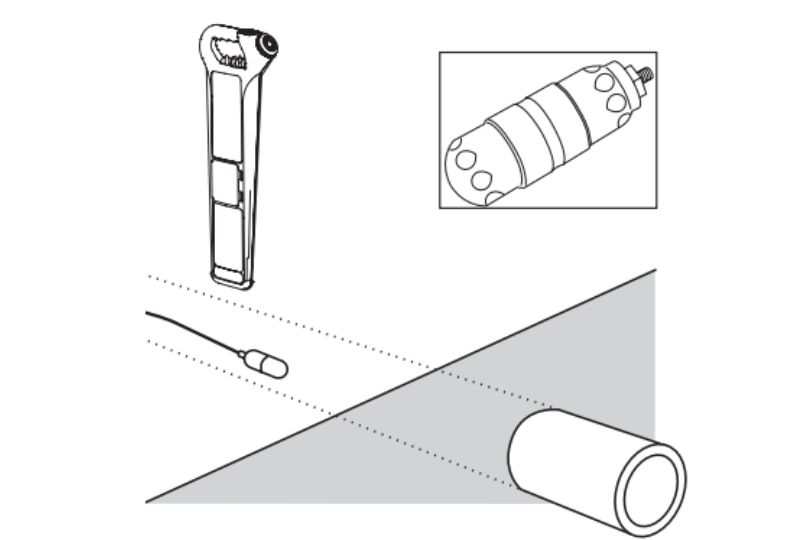
A sonde is a small self-contained signal transmitter that can be inserted into a non-metallic pipe, drain or duct. The CAT4 can then locate the sonde from above ground using Genny Mode or Avoidance Mode.
This is useful because non-metallic pipes do not normally carry a detectable signal on their own. By inserting a sonde, the operator can locate the position and direction of the duct or drain.
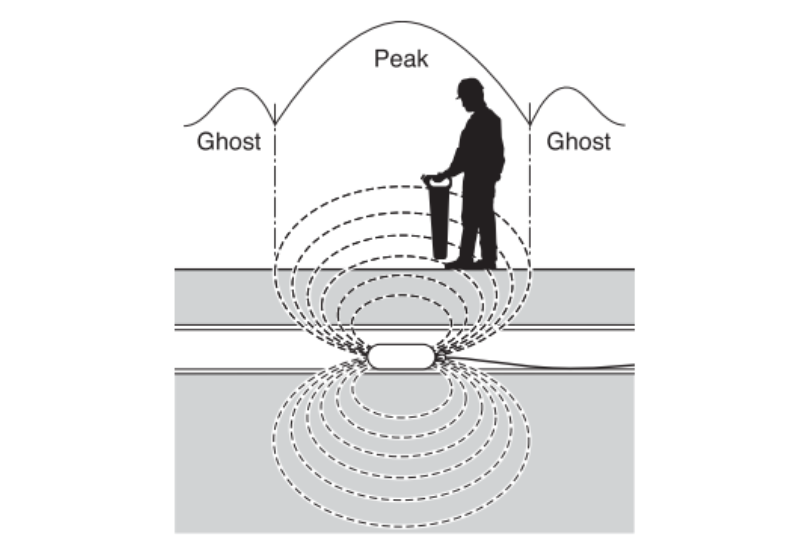
When locating a sonde, smaller ghost signals may appear before and after the main signal. The strongest central signal normally indicates the sonde position.
Using FlexiTrace For Non-Metallic Utilities
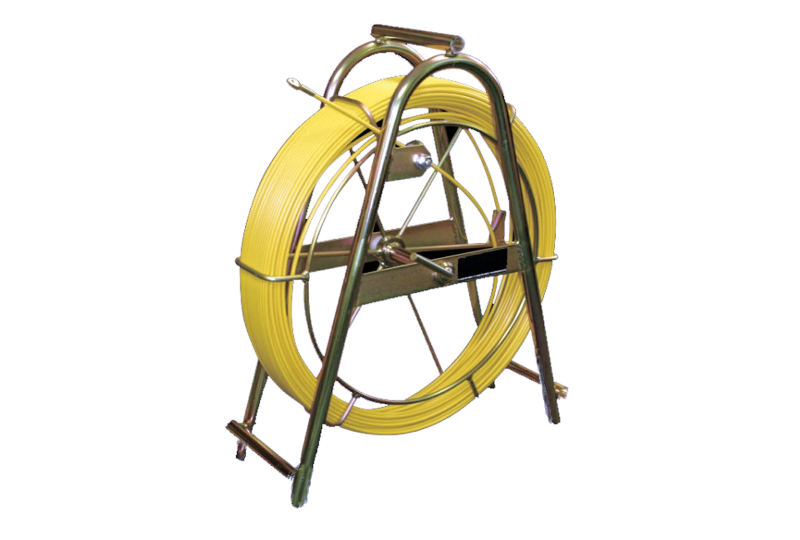
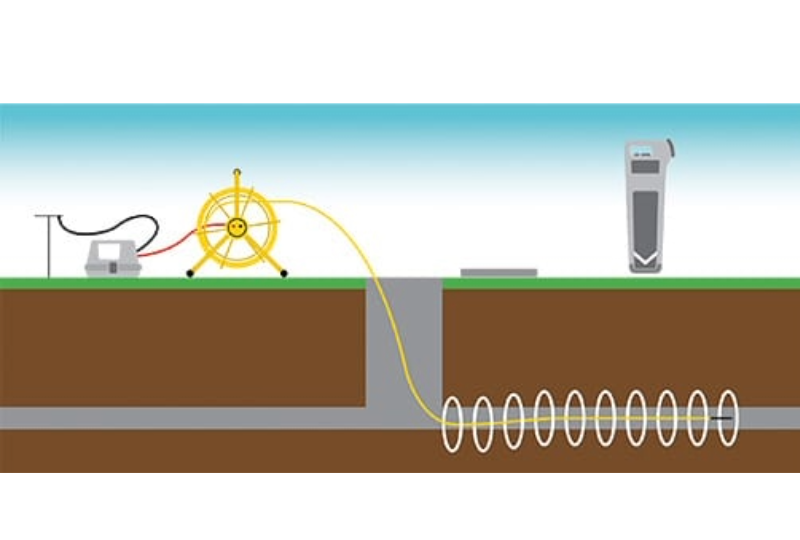
FlexiTrace is a flexible conductive rod that can be inserted into non-metallic pipes and ducts. It allows the route of the pipe or duct to be traced from above ground.
FlexiTrace can be used in two ways. If both transmitter leads are connected to the FlexiTrace terminals, only the tip is located like a sonde. If one lead is connected to the FlexiTrace and the other is grounded, the full length of the rod can be traced.
This makes FlexiTrace useful for following non-metallic pipes, ducts and drains where a standard CAT scan would not detect the utility directly.
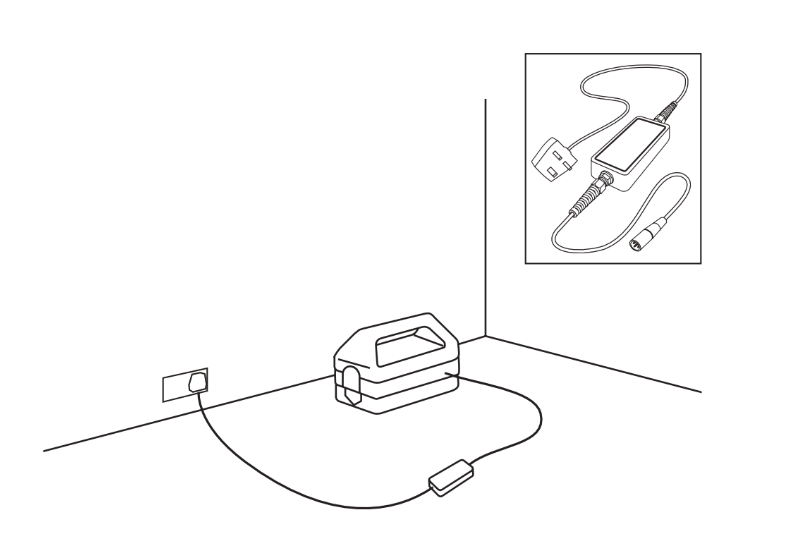
Using The Genny4 Live Plug Connector
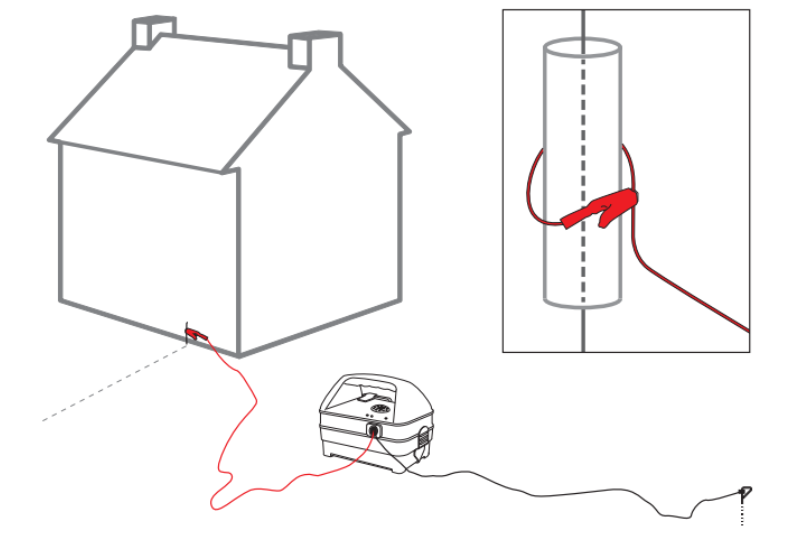
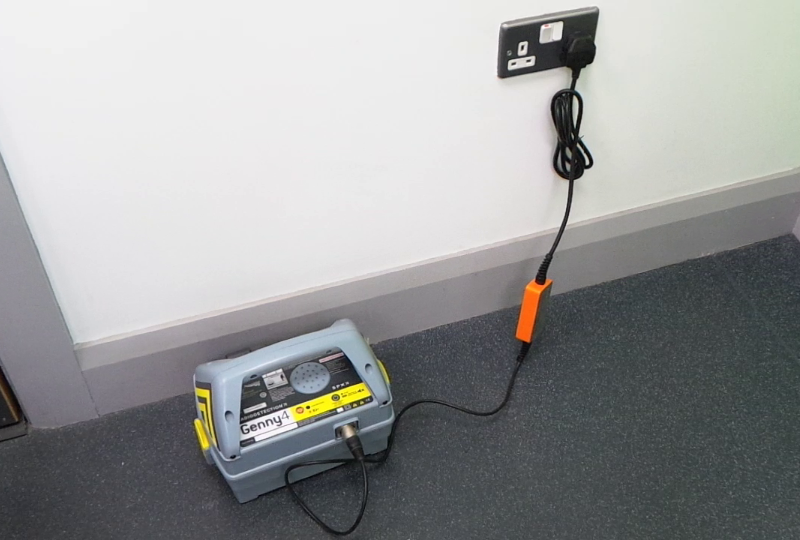
The Genny Live Plug Connector is an accessory used to apply the Genny4 signal through a live domestic power socket. This allows the signal to travel through the building’s wiring system and onto the service or supply cable outside.
To use it, the Live Plug Connector is connected to the Genny4 accessory socket and then plugged into a suitable mains power socket. The Genny4 and the socket are then switched on, allowing the CAT4 to trace the applied signal from above ground.
This method can be useful when trying to locate the route of a domestic power supply cable from a building to the street or external service route.
Important: Do not use standard direct connection leads to connect to live cables. Use the correct Radiodetection Live Plug Connector or Live Cable Connector. Connection to live power cables should only be carried out by qualified personnel.
Understanding StrikeAlert
 StrikeAlert is a warning feature designed to alert the operator to shallow pipes and cables. When a shallow service is detected in Power, Genny or Avoidance Mode, the CAT4 can give a distinctive warning.
StrikeAlert is a useful feature, but it must not be treated as a guarantee. The official guide warns that StrikeAlert may not activate even if a live power cable is present.
Important: StrikeAlert is a warning aid, not proof that all shallow or live services have been detected. Always continue to follow safe digging practice.
Understanding GPS/GNSS And Bluetooth On gC.A.T4+
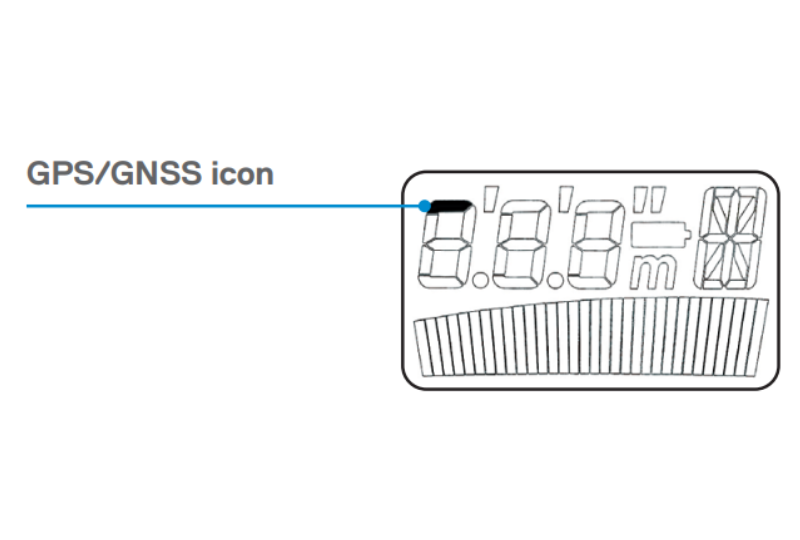
The gC.A.T4+ includes GPS/GNSS and Bluetooth features. GPS/GNSS allows positional data to be added to the internal operation log, while Bluetooth allows connection to Radiodetection’s C.A.T Manager mobile app.
When the trigger is pulled, the GPS/GNSS module tries to acquire a satellite lock. The GPS icon flashes until a lock is achieved, then remains visible while the lock is active.
These features are useful for organisations that need better records of equipment use, site activity and cable avoidance checks.
Common CAT And Genny Mistakes To Avoid
 Even experienced users can make mistakes when using a CAT and Genny. The following are some of the most common issues to avoid:
- Walking too quickly: Move slowly enough for the CAT4 to respond properly.
- Only scanning in one direction: Scan the full area and check from different directions.
- Not using the Genny4: Passive Power and Radio signals may not always be present.
- Holding the CAT4 at an angle: Keep the locator upright and avoid swinging it.
- Ignoring weak signals: Weak or intermittent readings may still indicate a buried service.
- Working too close to the Genny4: In induction mode, this may cause false readings.
- Assuming “no signal” means “no cable”: Some buried services may not produce a detectable signal.
- Relying on Power Mode only: Some power cables do not radiate detectable power signals.
- Using overdue equipment: Check service and calibration status before use.
- Using depth estimation incorrectly: Never use depth estimation to decide if mechanical digging is safe.
Service, Calibration And Maintenance
The CAT4 and Genny4 should be treated as safety equipment. They should be inspected, tested and maintained properly.
Radiodetection recommends that the CAT4 and Genny4 are serviced and have their calibration validated at least once a year using approved test equipment. Users should also carry out a functional check before use.
To help maintain performance, keep the equipment clean, store it safely and replace batteries when required. Do not mix old and new batteries or different battery types.
Tip: Keep a record of service and calibration dates so operators can quickly check whether equipment is suitable for use.
What Are The Limitations Of A CAT And Genny?
A CAT and Genny is an important cable avoidance aid, but it cannot guarantee that every buried service has been found.
The CAT4 cannot confirm whether a signal is coming from one conductor or from several pipes or cables buried close together. Some cables may not give off a detectable signal. Power and Radio signals may not be present. Depth readings are estimates only.
For this reason, CAT and Genny use should always be part of a wider safe digging process. This should include utility plans, site inspection, trained operators, careful excavation and safe digging procedures.
Frequently Asked Questions
 Can a CAT4 find all buried cables?
No. A CAT4 can help detect many buried conductive services, but it cannot guarantee that every cable or pipe will be found. Some power cables do not radiate detectable signals, and passive Power or Radio signals may not always be present.
Should I use the Genny4 every time?
Where possible, yes. The Genny4 actively applies a locate signal to a service, making it more reliable than relying only on passive signals.
What is Avoidance Mode on a CAT4?
Avoidance Mode searches for Power, Radio and Genny signals at the same time. It is useful for the first sweep of an excavation area before carrying out more detailed checks in the dedicated modes.
What is Genny Mode used for?
Genny Mode is used to detect the signal produced by the Genny4 transmitter. It is commonly used when actively tracing a pipe or cable.
Can a CAT4 detect plastic pipes?
Not directly. Plastic and other non-metallic pipes do not normally carry a detectable signal. To locate them, you may need a sonde, FlexiTrace, tracer wire or another suitable locating accessory.
Can I use CAT4 depth estimation to decide whether it is safe to dig?
No. Depth estimation is only an aid. It should not be used to decide whether mechanical digging is appropriate. Always use safe digging methods and dig with caution.
How often should a CAT4 and Genny4 be calibrated?
Radiodetection recommends that the equipment is serviced and has its calibration validated at least once a year using approved test equipment.
Why should mobile phones be kept away from the CAT4?
Mobile phones can interfere with cable and pipe locators. Keep mobile phones away from the locator when it is in operation.
 Final Safety Reminder
The Radiodetection CAT4 and Genny4 are valuable tools for helping locate buried cables and conductive services before excavation. However, they should always be used correctly, carefully and alongside other safe digging procedures.
Always read the official user guide, ensure operators are properly trained, check equipment before use and never assume that an area is safe to dig simply because no signal has been detected.
Always dig with caution.